
The main window
The important part of the screen is on the left, where it says CALL, CLASS and SECTION. That is where you will spend nearly all of your time.
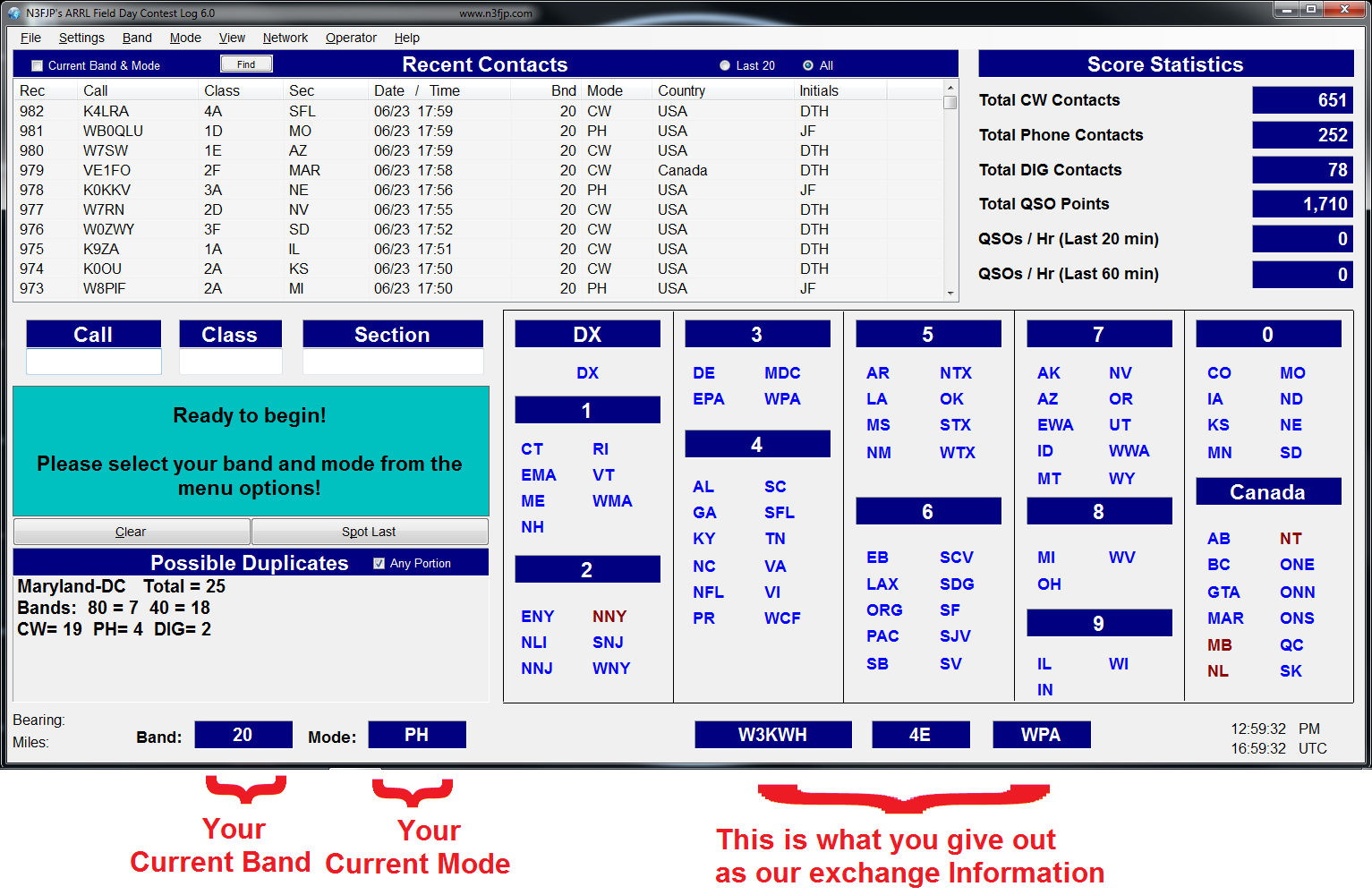
Before you start
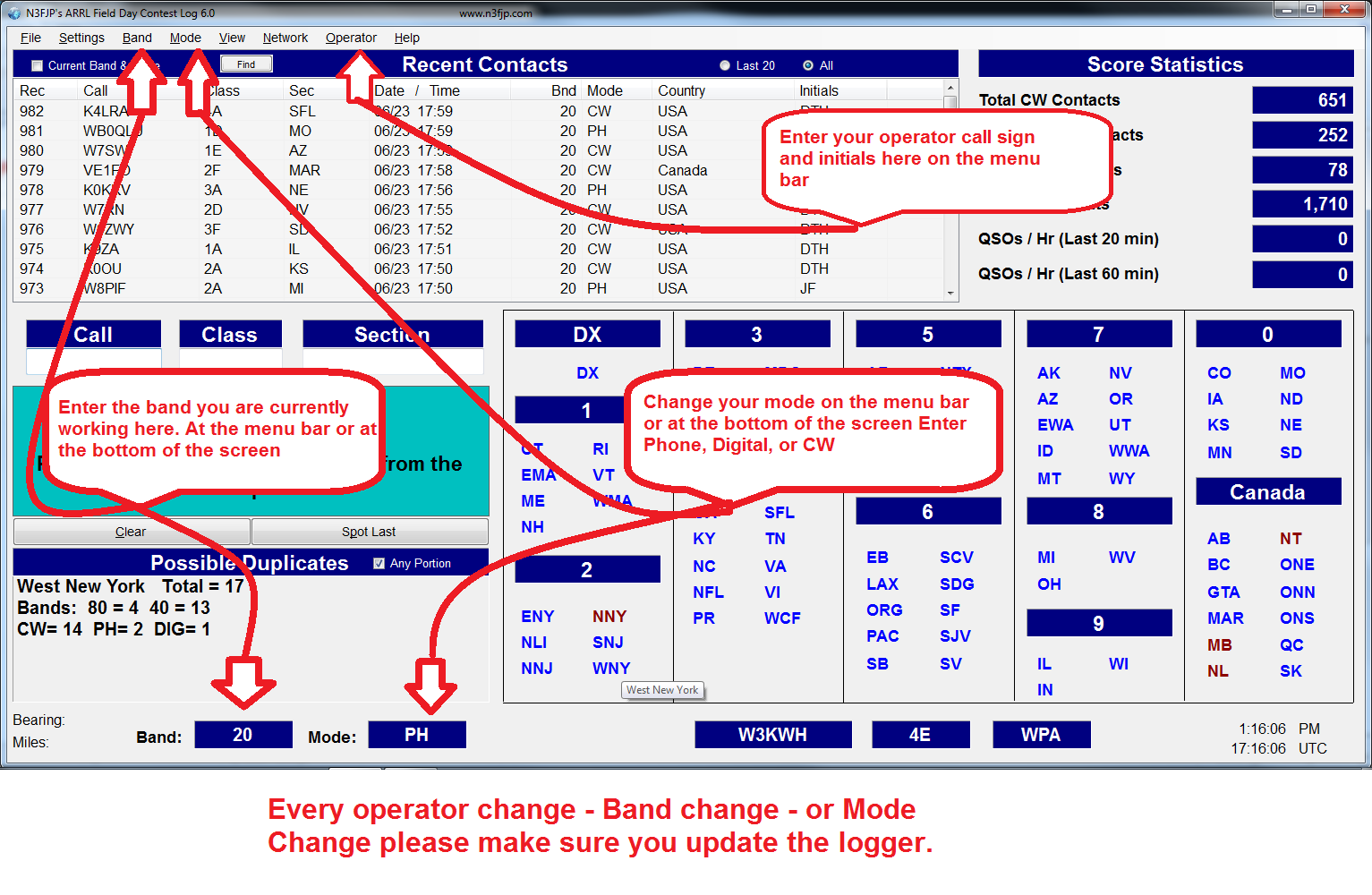
When you take over from someone, or are the first to sit down, update the software with your information. Click OPERATOR on the menu bar and enter your call sign and initials, so the log shows who made each contact. Check that BAND and MODE match the radio.
Logging a contact
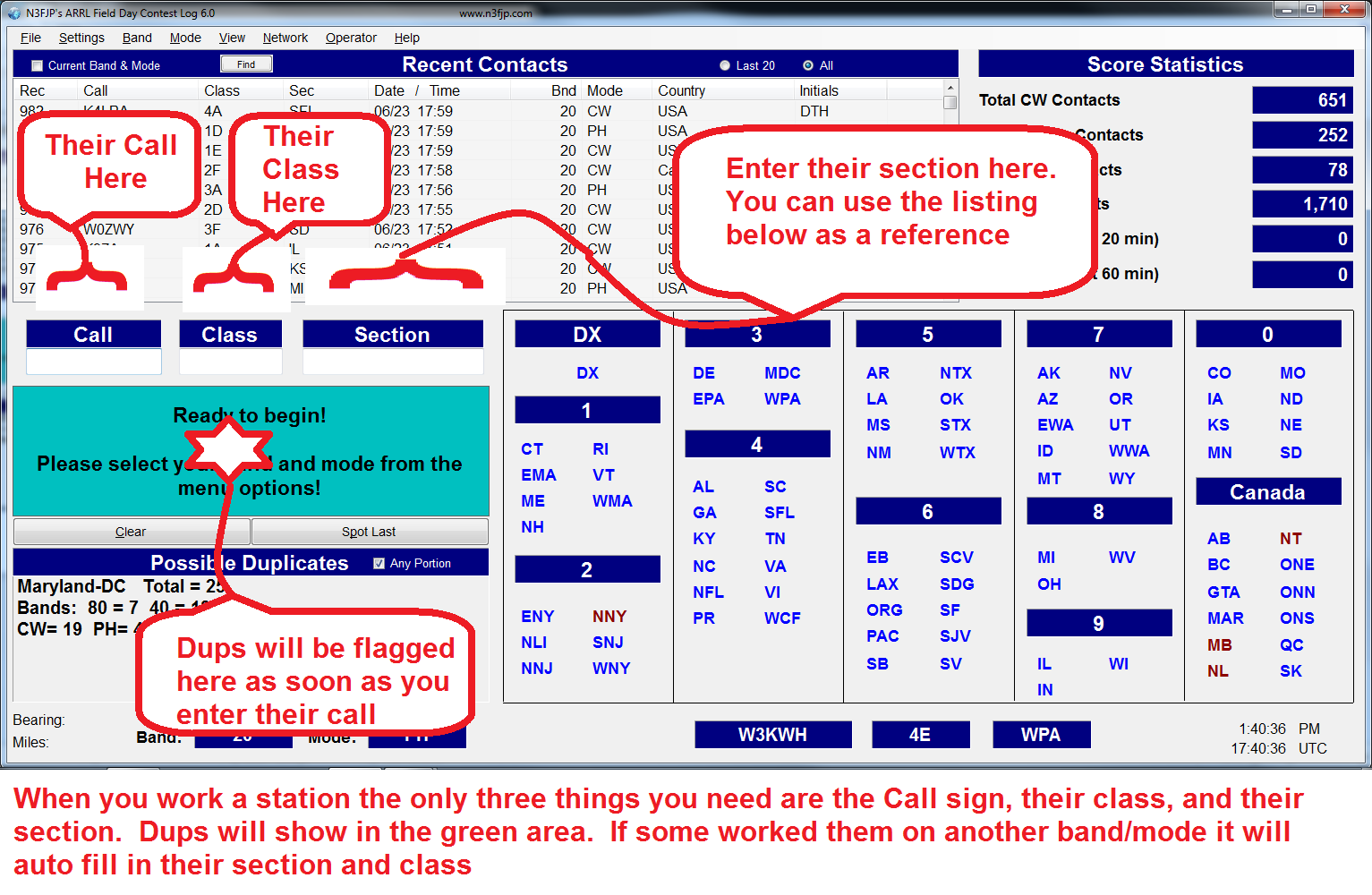
You need three things for every contact: the other station’s call sign, their class (like 3A or 1D) and their ARRL section. Type the call, hit Tab or space, type the class, Tab, type the section, and press Enter. The software checks for duplicates as you type.
The best tip
The easiest way to learn contesting is to log for someone else for a while. You are not running the radio, so you can concentrate on getting the exchange into the log, and you hear how experienced operators handle a pileup. Then swap seats.