
The remotes
Remote 1 · Kenwood TS-2000
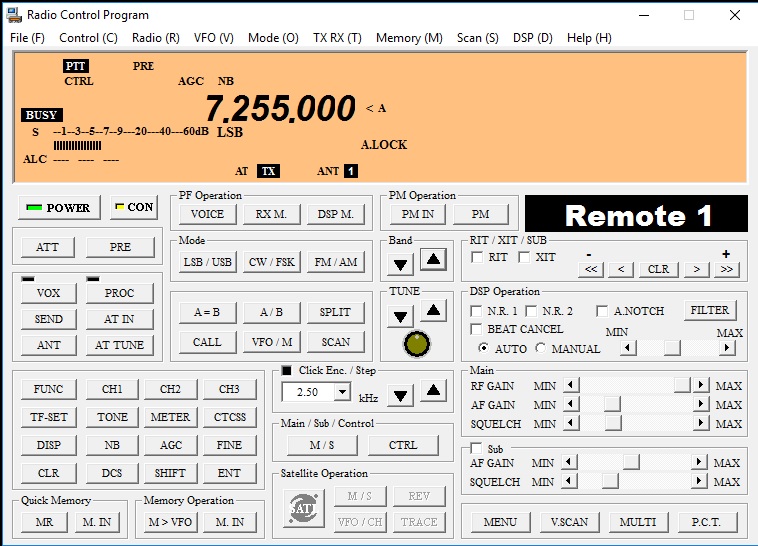
A full-time remote station. With the club's antenna array it covers HF from 160 through 10 meters plus 6 m, 2 m, 70 cm and 23 cm.
Remote 2 · Kenwood TS-590SG
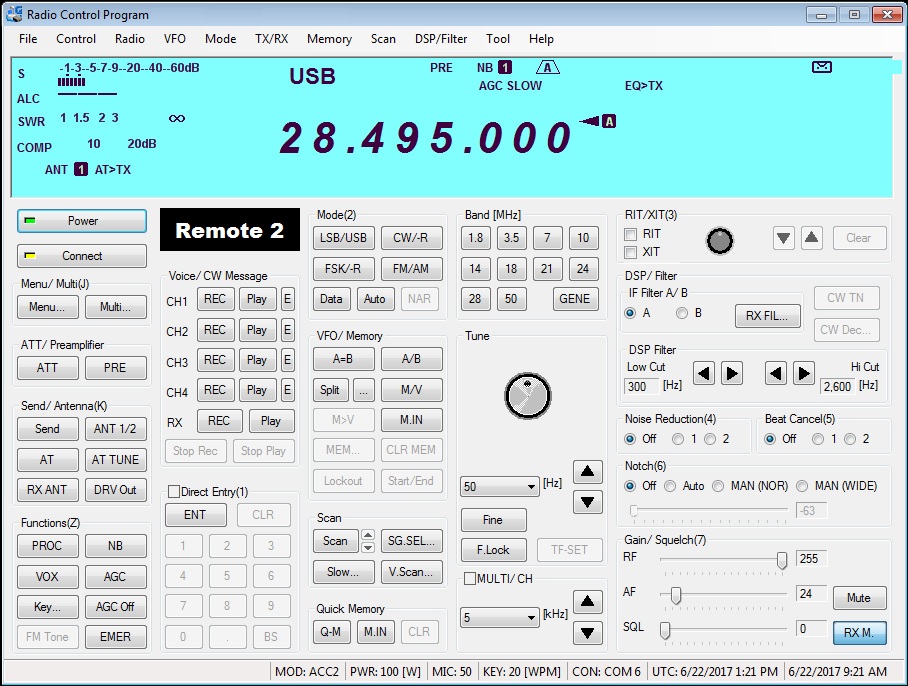
Dual duty: operate it locally at the clubhouse or remotely from home. A member has won a 160 meter contest category with it. Club rules: the person at the clubhouse always has priority over a remote user.
Remote 3
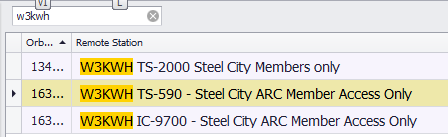
The club's third remote-capable HF station. All three appear when you search for W3KWH in the RemoteHams lobby.
Always listen before you transmit. If you hear nothing at all, check that the patch panel is in its standard configuration. Remote antenna assignments are tracked by the technical committee; if you make a permanent change, email tech@w3kwh.com.
Getting set up with RemoteHams
The club uses the RemoteHams RCForb software. One program handles both radio control and audio, so there is no longer any need for VNC plus Skype.
- Create an account at remotehams.com. Use your call sign as your user ID. We only approve users whose ID is their call.
- Download the RCForb client from download.remotehams.com and install it.
- Log in and find us. The client opens to a lobby. Type
W3KWHin the search field and our remotes appear. Double-click one to enter.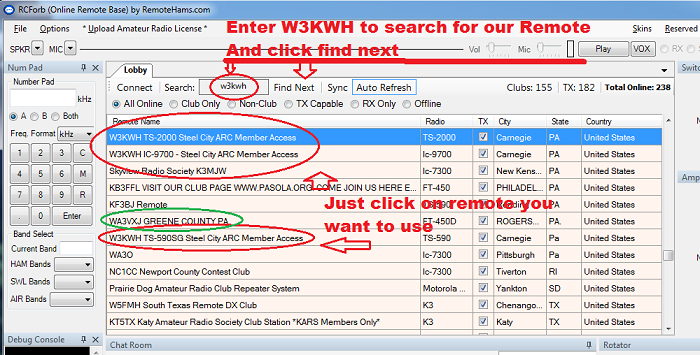
- Ask for transmit permission. On first connection RemoteHams asks you to upload a copy of your license. To speed things up, email Christine N3LRG or Karl WA3VXJ; they will log in and add you as a club member. You will get an email back when you are approved to transmit.
- Operate. Turn the radio on from the client if it is off, pick your band, check the antenna assignment, and listen first. Enjoy the DX.
For the software’s own help, see the RemoteHams website.